Navigation · episode 02 · Intermediate
Animated macOS-Inspired Dock
A floating glass dock with cursor-proximity magnification, smoothly scaling neighbours, animated tooltips, launch bounces, open-app indicators, keyboard navigation and touch support — in plain HTML, CSS and JavaScript.
- dock
- macos dock
- magnification
- glassmorphism
- css animation
- vanilla javascript
- responsive
- MIT
// Source code
Three files, no dependencies. MIT licensed — use it anywhere.
<!DOCTYPE html>
<html lang="en">
<head>
  <meta charset="UTF-8">
  <meta name="viewport" content="width=device-width, initial-scale=1.0">
  <title>Animated Dock</title>
  <link rel="stylesheet" href="style.css">
</head>
<body>
  <main class="desktop">
    <h1 class="desktop__title">Floating Dock</h1>
    <p class="desktop__hint">
      <span class="hint-pointer">Move your cursor over the dock</span>
      <span class="hint-touch">Tap an app to open it</span>
    </p>
  </main>

  <nav class="dock" aria-label="Dock">
    <ul class="dock__list">
      <li>
        <button class="dock__item" type="button" data-app="files" aria-pressed="true">
          <span class="dock__icon">
            <svg viewBox="0 0 24 24" aria-hidden="true"><path d="M3 7.5A1.5 1.5 0 0 1 4.5 6H9l2 2h8.5A1.5 1.5 0 0 1 21 9.5v8a1.5 1.5 0 0 1-1.5 1.5h-15A1.5 1.5 0 0 1 3 17.5z" /></svg>
          </span>
          <span class="dock__label">Files</span>
        </button>
      </li>
      <li>
        <button class="dock__item" type="button" data-app="browser" aria-pressed="true">
          <span class="dock__icon">
            <svg viewBox="0 0 24 24" aria-hidden="true"><circle cx="12" cy="12" r="9" /><path d="m15.5 8.5-2 5-5 2 2-5z" /></svg>
          </span>
          <span class="dock__label">Browser</span>
        </button>
      </li>
      <li>
        <button class="dock__item" type="button" data-app="mail" aria-pressed="false">
          <span class="dock__icon">
            <svg viewBox="0 0 24 24" aria-hidden="true"><rect x="3" y="5.5" width="18" height="13" rx="2" /><path d="m3.5 7 8.5 6 8.5-6" /></svg>
          </span>
          <span class="dock__label">Mail</span>
        </button>
      </li>
      <li>
        <button class="dock__item" type="button" data-app="music" aria-pressed="false">
          <span class="dock__icon">
            <svg viewBox="0 0 24 24" aria-hidden="true"><path d="M9 18V6l11-2v12" /><circle cx="6.5" cy="18" r="2.5" /><circle cx="17.5" cy="16" r="2.5" /></svg>
          </span>
          <span class="dock__label">Music</span>
        </button>
      </li>
      <li>
        <button class="dock__item" type="button" data-app="photos" aria-pressed="false">
          <span class="dock__icon">
            <svg viewBox="0 0 24 24" aria-hidden="true"><rect x="3" y="4.5" width="18" height="15" rx="2" /><circle cx="9" cy="10" r="1.8" /><path d="m3.5 17 5-4.5 4 3.5 3-2.5 5 4" /></svg>
          </span>
          <span class="dock__label">Photos</span>
        </button>
      </li>
      <li>
        <button class="dock__item" type="button" data-app="code" aria-pressed="true">
          <span class="dock__icon">
            <svg viewBox="0 0 24 24" aria-hidden="true"><path d="m8 8-4 4 4 4M16 8l4 4-4 4M13.5 5.5l-3 13" /></svg>
          </span>
          <span class="dock__label">Code</span>
        </button>
      </li>
      <li>
        <button class="dock__item" type="button" data-app="settings" aria-pressed="false">
          <span class="dock__icon">
            <svg viewBox="0 0 24 24" aria-hidden="true"><circle cx="12" cy="12" r="3.2" /><path d="M12 3v2.5M12 18.5V21M3 12h2.5M18.5 12H21M5.6 5.6l1.8 1.8M16.6 16.6l1.8 1.8M5.6 18.4l1.8-1.8M16.6 7.4l1.8-1.8" /></svg>
          </span>
          <span class="dock__label">Settings</span>
        </button>
      </li>
      <li class="dock__divider" aria-hidden="true"></li>
      <li>
        <button class="dock__item" type="button" data-app="trash">
          <span class="dock__icon">
            <svg viewBox="0 0 24 24" aria-hidden="true"><path d="M4.5 7h15M9.5 7V4.5h5V7M6.5 7l1 12.5h9l1-12.5M10 10.5v6M14 10.5v6" /></svg>
          </span>
          <span class="dock__label">Trash</span>
        </button>
      </li>
    </ul>
  </nav>

  <script src="script.js"></script>
</body>
</html>
/* ===== Reset & tokens ===== */
*,
*::before,
*::after {
box-sizing: border-box;
margin: 0;
}
:root {
--size: clamp(30px, calc((100vw - 96px) / 8), 56px);
--gap: 8px;
--text: #f8fafc;
}
body {
min-height: 100vh;
min-height: 100dvh;
display: grid;
place-items: center;
font-family: system-ui, -apple-system, "Segoe UI", Roboto, sans-serif;
color: var(--text);
background:
radial-gradient(60% 50% at 18% 12%, #7c3aed 0%, transparent 62%),
radial-gradient(55% 45% at 88% 18%, #0ea5e9 0%, transparent 60%),
radial-gradient(75% 60% at 50% 115%, #f97316 0%, transparent 62%),
linear-gradient(180deg, #0f172a, #1e1b4b);
overflow-x: hidden;
}
.desktop {
padding: 2rem 1rem 10rem;
text-align: center;
}
.desktop__title {
font-size: clamp(2.2rem, 7vw, 4rem);
font-weight: 800;
letter-spacing: -0.04em;
text-shadow: 0 6px 30px rgb(0 0 0 / 0.3);
}
.desktop__hint {
margin-top: 0.5rem;
color: rgb(248 250 252 / 0.8);
}
.hint-touch {
display: none;
}
/* ===== Dock ===== */
.dock {
position: fixed;
left: 50%;
bottom: 14px;
translate: -50% 0;
padding: 8px 10px 10px;
border-radius: 22px;
background: rgb(255 255 255 / 0.14);
border: 1px solid rgb(255 255 255 / 0.25);
backdrop-filter: blur(18px) saturate(170%);
-webkit-backdrop-filter: blur(18px) saturate(170%);
box-shadow:
0 20px 50px rgb(0 0 0 / 0.35),
inset 0 1px 0 rgb(255 255 255 / 0.3);
animation: dock-in 0.8s cubic-bezier(0.2, 0.9, 0.2, 1) both;
}
@keyframes dock-in {
from {
opacity: 0;
translate: -50% 120%;
}
}
.dock__list {
display: flex;
align-items: flex-end;
gap: var(--gap);
height: var(--size);
padding: 0;
list-style: none;
}
.dock__divider {
align-self: center;
width: 1px;
height: 70%;
margin-inline: 2px;
background: rgb(255 255 255 / 0.3);
}
/* ===== Icons ===== */
.dock__item {
--scale: 1;
position: relative;
display: block;
width: calc(var(--size) * var(--scale));
aspect-ratio: 1;
padding: 0;
border: 0;
color: inherit;
font: inherit;
background: none;
cursor: pointer;
}
.dock__icon {
display: grid;
place-items: center;
width: 100%;
height: 100%;
border-radius: 23%;
background: var(--bg, linear-gradient(160deg, #94a3b8, #475569));
box-shadow:
inset 0 1px 0 rgb(255 255 255 / 0.45),
inset 0 -2px 6px rgb(0 0 0 / 0.2),
0 6px 14px rgb(0 0 0 / 0.3);
}
.dock__icon svg {
width: 56%;
height: 56%;
fill: none;
stroke: #fff;
stroke-width: 1.8;
stroke-linecap: round;
stroke-linejoin: round;
filter: drop-shadow(0 1px 1px rgb(0 0 0 / 0.25));
}
[data-app="files"] { --bg: linear-gradient(160deg, #7dd3fc, #2563eb); }
[data-app="browser"] { --bg: linear-gradient(160deg, #5eead4, #0d9488); }
[data-app="mail"] { --bg: linear-gradient(160deg, #93c5fd, #4f46e5); }
[data-app="music"] { --bg: linear-gradient(160deg, #fda4af, #e11d48); }
[data-app="photos"] { --bg: linear-gradient(160deg, #fde68a, #f97316); }
[data-app="code"] { --bg: linear-gradient(160deg, #bef264, #15803d); }
[data-app="settings"] { --bg: linear-gradient(160deg, #cbd5e1, #64748b); }
[data-app="trash"] { --bg: linear-gradient(160deg, #f1f5f9, #94a3b8); }
[data-app="trash"] svg { stroke: #334155; }
/* ===== Tooltips ===== */
.dock__label {
position: absolute;
bottom: calc(100% + 14px);
left: 50%;
translate: -50% 6px;
padding: 5px 10px;
border-radius: 8px;
background: rgb(15 23 42 / 0.88);
border: 1px solid rgb(255 255 255 / 0.15);
font-size: 13px;
font-weight: 500;
white-space: nowrap;
opacity: 0;
pointer-events: none;
transition: opacity 0.18s ease, translate 0.18s ease;
}
.dock__label::after {
content: "";
position: absolute;
top: calc(100% - 4px);
left: calc(50% - 4px);
width: 8px;
height: 8px;
background: rgb(15 23 42);
rotate: 45deg;
}
.dock__item:hover .dock__label,
.dock__item:focus-visible .dock__label {
opacity: 1;
translate: -50% 0;
}
.dock__item:focus-visible {
outline: none;
}
.dock__item:focus-visible .dock__icon {
outline: 2px solid #fff;
outline-offset: 3px;
}
/* ===== Indicators & bounce ===== */
.dock__item::after {
content: "";
position: absolute;
left: 50%;
bottom: -7px;
width: 4px;
height: 4px;
border-radius: 50%;
background: var(--text);
translate: -50% 0;
opacity: 0;
scale: 0;
transition: opacity 0.3s, scale 0.3s;
}
.dock__item[aria-pressed="true"]::after {
opacity: 0.9;
scale: 1;
}
.dock__item.is-bouncing .dock__icon {
animation: bounce 0.9s cubic-bezier(0.3, 0, 0.3, 1);
}
.dock__item.is-bouncing .dock__label {
opacity: 1;
translate: -50% 0;
}
@keyframes bounce {
0%, 100% { translate: 0 0; }
25% { translate: 0 -55%; }
50% { translate: 0 0; }
70% { translate: 0 -22%; }
85% { translate: 0 0; }
93% { translate: 0 -6%; }
}
/* ===== Touch, small screens & motion ===== */
@media (hover: none) {
.hint-pointer {
display: none;
}
.hint-touch {
display: inline;
}
}
@media (max-width: 480px) {
:root {
--gap: 5px;
}
.dock {
bottom: 10px;
padding: 6px 8px 9px;
border-radius: 18px;
}
.dock__label {
font-size: 12px;
}
}
@media (prefers-reduced-motion: reduce) {
*,
*::before,
*::after {
animation-duration: 0.01ms !important;
animation-iteration-count: 1 !important;
transition-duration: 0.01ms !important;
}
}// ===== Measure the dock at rest =====
const dock = document.querySelector(".dock");
const items = [...dock.querySelectorAll(".dock__item")];
const reduceMotion = window.matchMedia("(prefers-reduced-motion: reduce)");
let restOffsets = [];
let restSize = 0;
let pointerX = null;
function dockCenter() {
const rect = dock.getBoundingClientRect();
return rect.left + rect.width / 2;
}
function measure() {
const center = dockCenter();
restSize = items[0].offsetWidth;
restOffsets = items.map((item) => {
const rect = item.getBoundingClientRect();
return rect.left + rect.width / 2 - center;
});
}
measure();
window.addEventListener("resize", () => {
if (pointerX === null) measure();
});
// ===== Magnification =====
const MAX_SCALE = 1.9;
const RANGE = 3; // icons affected on each side
const scales = items.map(() => 1);
let frame = null;
function targetScale(index) {
if (pointerX === null) return 1;
const distance = Math.abs(pointerX - dockCenter() - restOffsets[index]) / restSize;
const t = Math.max(0, 1 - distance / RANGE);
return 1 + (MAX_SCALE - 1) * t * t * (3 - 2 * t);
}
function animate() {
let moving = false;
items.forEach((item, i) => {
const target = targetScale(i);
scales[i] += (target - scales[i]) * 0.22;
if (Math.abs(target - scales[i]) < 0.002) scales[i] = target;
else moving = true;
item.style.setProperty("--scale", scales[i].toFixed(3));
});
frame = moving ? requestAnimationFrame(animate) : null;
}
function update() {
if (!frame) frame = requestAnimationFrame(animate);
}
dock.addEventListener("pointermove", (event) => {
if (event.pointerType === "touch" || reduceMotion.matches) return;
pointerX = event.clientX;
update();
});
dock.addEventListener("pointerleave", () => {
pointerX = null;
update();
});
// ===== Open apps, bounce & keyboard =====
items.forEach((item) => {
item.addEventListener("click", () => {
if (!item.hasAttribute("aria-pressed")) return bounce(item);
const open = item.getAttribute("aria-pressed") === "true";
item.setAttribute("aria-pressed", String(!open));
if (!open) bounce(item);
});
item.addEventListener("animationend", () => item.classList.remove("is-bouncing"));
});
function bounce(item) {
item.classList.remove("is-bouncing");
void item.offsetWidth; // restart the animation
item.classList.add("is-bouncing");
}
dock.addEventListener("keydown", (event) => {
const step = { ArrowRight: 1, ArrowLeft: -1 }[event.key];
const index = items.indexOf(document.activeElement);
if (!step || index === -1) return;
event.preventDefault();
items[(index + step + items.length) % items.length].focus();
});
dock.addEventListener("focusin", (event) => {
if (!event.target.matches(":focus-visible") || reduceMotion.matches) return;
pointerX = dockCenter() + restOffsets[items.indexOf(event.target)];
update();
});
dock.addEventListener("focusout", (event) => {
if (dock.contains(event.relatedTarget)) return;
pointerX = null;
update();
});// Step by step
The same 12 steps the video follows. Each block is the exact code added in that step.
01 HTML boilerplate A standard document with a small desktop heading and a
navlandmark for the dock. The dock's apps go inside one list.index.html
<!DOCTYPE html>
<html lang="en">
<head>
  <meta charset="UTF-8">
  <meta name="viewport" content="width=device-width, initial-scale=1.0">
  <title>Animated Dock</title>
  <link rel="stylesheet" href="style.css">
</head>
<body>
  <main class="desktop">
    <h1 class="desktop__title">Floating Dock</h1>
    <p class="desktop__hint">
      <span class="hint-pointer">Move your cursor over the dock</span>
      <span class="hint-touch">Tap an app to open it</span>
    </p>
  </main>

  <nav class="dock" aria-label="Dock">
    <ul class="dock__list">
    </ul>
  </nav>

  <script src="script.js"></script>
</body>
</html>
02 The first two apps Each app is a real
button, so it works with a keyboard and screen readers.aria-pressedmarks open apps, and the visible label doubles as the tooltip and the accessible name. The icons are small inline SVGs.index.html
      <li>
        <button class="dock__item" type="button" data-app="files" aria-pressed="true">
          <span class="dock__icon">
            <svg viewBox="0 0 24 24" aria-hidden="true"><path d="M3 7.5A1.5 1.5 0 0 1 4.5 6H9l2 2h8.5A1.5 1.5 0 0 1 21 9.5v8a1.5 1.5 0 0 1-1.5 1.5h-15A1.5 1.5 0 0 1 3 17.5z" /></svg>
          </span>
          <span class="dock__label">Files</span>
        </button>
      </li>
      <li>
        <button class="dock__item" type="button" data-app="browser" aria-pressed="true">
          <span class="dock__icon">
            <svg viewBox="0 0 24 24" aria-hidden="true"><circle cx="12" cy="12" r="9" /><path d="m15.5 8.5-2 5-5 2 2-5z" /></svg>
          </span>
          <span class="dock__label">Browser</span>
        </button>
      </li>
03 The rest of the apps The other apps follow the same pattern, so they go in quickly. A divider separates the trash, which is a plain button because it never "opens".
index.html
      <li>
        <button class="dock__item" type="button" data-app="mail" aria-pressed="false">
          <span class="dock__icon">
            <svg viewBox="0 0 24 24" aria-hidden="true"><rect x="3" y="5.5" width="18" height="13" rx="2" /><path d="m3.5 7 8.5 6 8.5-6" /></svg>
          </span>
          <span class="dock__label">Mail</span>
        </button>
      </li>
      <li>
        <button class="dock__item" type="button" data-app="music" aria-pressed="false">
          <span class="dock__icon">
            <svg viewBox="0 0 24 24" aria-hidden="true"><path d="M9 18V6l11-2v12" /><circle cx="6.5" cy="18" r="2.5" /><circle cx="17.5" cy="16" r="2.5" /></svg>
          </span>
          <span class="dock__label">Music</span>
        </button>
      </li>
      <li>
        <button class="dock__item" type="button" data-app="photos" aria-pressed="false">
          <span class="dock__icon">
            <svg viewBox="0 0 24 24" aria-hidden="true"><rect x="3" y="4.5" width="18" height="15" rx="2" /><circle cx="9" cy="10" r="1.8" /><path d="m3.5 17 5-4.5 4 3.5 3-2.5 5 4" /></svg>
          </span>
          <span class="dock__label">Photos</span>
        </button>
      </li>
      <li>
        <button class="dock__item" type="button" data-app="code" aria-pressed="true">
          <span class="dock__icon">
            <svg viewBox="0 0 24 24" aria-hidden="true"><path d="m8 8-4 4 4 4M16 8l4 4-4 4M13.5 5.5l-3 13" /></svg>
          </span>
          <span class="dock__label">Code</span>
        </button>
      </li>
      <li>
        <button class="dock__item" type="button" data-app="settings" aria-pressed="false">
          <span class="dock__icon">
            <svg viewBox="0 0 24 24" aria-hidden="true"><circle cx="12" cy="12" r="3.2" /><path d="M12 3v2.5M12 18.5V21M3 12h2.5M18.5 12H21M5.6 5.6l1.8 1.8M16.6 16.6l1.8 1.8M5.6 18.4l1.8-1.8M16.6 7.4l1.8-1.8" /></svg>
          </span>
          <span class="dock__label">Settings</span>
        </button>
      </li>
      <li class="dock__divider" aria-hidden="true"></li>
      <li>
        <button class="dock__item" type="button" data-app="trash">
          <span class="dock__icon">
            <svg viewBox="0 0 24 24" aria-hidden="true"><path d="M4.5 7h15M9.5 7V4.5h5V7M6.5 7l1 12.5h9l1-12.5M10 10.5v6M14 10.5v6" /></svg>
          </span>
          <span class="dock__label">Trash</span>
        </button>
      </li>
04 Wallpaper and design tokens A reset, a few tokens and a layered gradient wallpaper.
--sizeis the resting icon size. It shrinks on narrow screens so all eight apps always fit.style.css
/* ===== Reset & tokens ===== */
*,
*::before,
*::after {
  box-sizing: border-box;
  margin: 0;
}

:root {
  --size: clamp(30px, calc((100vw - 96px) / 8), 56px);
  --gap: 8px;
  --text: #f8fafc;
}

body {
  min-height: 100vh;
  min-height: 100dvh;
  display: grid;
  place-items: center;
  font-family: system-ui, -apple-system, "Segoe UI", Roboto, sans-serif;
  color: var(--text);
  background:
    radial-gradient(60% 50% at 18% 12%, #7c3aed 0%, transparent 62%),
    radial-gradient(55% 45% at 88% 18%, #0ea5e9 0%, transparent 60%),
    radial-gradient(75% 60% at 50% 115%, #f97316 0%, transparent 62%),
    linear-gradient(180deg, #0f172a, #1e1b4b);
  overflow-x: hidden;
}

.desktop {
  padding: 2rem 1rem 10rem;
  text-align: center;
}

.desktop__title {
  font-size: clamp(2.2rem, 7vw, 4rem);
  font-weight: 800;
  letter-spacing: -0.04em;
  text-shadow: 0 6px 30px rgb(0 0 0 / 0.3);
}

.desktop__hint {
  margin-top: 0.5rem;
  color: rgb(248 250 252 / 0.8);
}

.hint-touch {
  display: none;
}
05 The glass dock The dock floats at the bottom centre. The glass is a translucent fill, a light border and
backdrop-filter. Items align to the bottom of a fixed-height row, so magnified icons grow upwards and sideways, never down.style.css
/* ===== Dock ===== */
.dock {
  position: fixed;
  left: 50%;
  bottom: 14px;
  translate: -50% 0;
  padding: 8px 10px 10px;
  border-radius: 22px;
  background: rgb(255 255 255 / 0.14);
  border: 1px solid rgb(255 255 255 / 0.25);
  backdrop-filter: blur(18px) saturate(170%);
  -webkit-backdrop-filter: blur(18px) saturate(170%);
  box-shadow:
    0 20px 50px rgb(0 0 0 / 0.35),
    inset 0 1px 0 rgb(255 255 255 / 0.3);
  animation: dock-in 0.8s cubic-bezier(0.2, 0.9, 0.2, 1) both;
}

@keyframes dock-in {
  from {
    opacity: 0;
    translate: -50% 120%;
  }
}

.dock__list {
  display: flex;
  align-items: flex-end;
  gap: var(--gap);
  height: var(--size);
  padding: 0;
  list-style: none;
}

.dock__divider {
  align-self: center;
  width: 1px;
  height: 70%;
  margin-inline: 2px;
  background: rgb(255 255 255 / 0.3);
}
06 App icons Every item's width is
--size × --scale. JavaScript will only change--scale, and the layout does the rest, pushing neighbours apart like the real thing. The rounded squares and per-app gradients make the icons.style.css
/* ===== Icons ===== */
.dock__item {
  --scale: 1;
  position: relative;
  display: block;
  width: calc(var(--size) * var(--scale));
  aspect-ratio: 1;
  padding: 0;
  border: 0;
  color: inherit;
  font: inherit;
  background: none;
  cursor: pointer;
}

.dock__icon {
  display: grid;
  place-items: center;
  width: 100%;
  height: 100%;
  border-radius: 23%;
  background: var(--bg, linear-gradient(160deg, #94a3b8, #475569));
  box-shadow:
    inset 0 1px 0 rgb(255 255 255 / 0.45),
    inset 0 -2px 6px rgb(0 0 0 / 0.2),
    0 6px 14px rgb(0 0 0 / 0.3);
}

.dock__icon svg {
  width: 56%;
  height: 56%;
  fill: none;
  stroke: #fff;
  stroke-width: 1.8;
  stroke-linecap: round;
  stroke-linejoin: round;
  filter: drop-shadow(0 1px 1px rgb(0 0 0 / 0.25));
}

[data-app="files"] { --bg: linear-gradient(160deg, #7dd3fc, #2563eb); }
[data-app="browser"] { --bg: linear-gradient(160deg, #5eead4, #0d9488); }
[data-app="mail"] { --bg: linear-gradient(160deg, #93c5fd, #4f46e5); }
[data-app="music"] { --bg: linear-gradient(160deg, #fda4af, #e11d48); }
[data-app="photos"] { --bg: linear-gradient(160deg, #fde68a, #f97316); }
[data-app="code"] { --bg: linear-gradient(160deg, #bef264, #15803d); }
[data-app="settings"] { --bg: linear-gradient(160deg, #cbd5e1, #64748b); }
[data-app="trash"] { --bg: linear-gradient(160deg, #f1f5f9, #94a3b8); }
[data-app="trash"] svg { stroke: #334155; }
07 Animated tooltips The label sits above its icon, hidden. On hover or keyboard focus it fades in and slides up. Keyboard focus also gets a clear outline around the icon.
style.css
/* ===== Tooltips ===== */
.dock__label {
  position: absolute;
  bottom: calc(100% + 14px);
  left: 50%;
  translate: -50% 6px;
  padding: 5px 10px;
  border-radius: 8px;
  background: rgb(15 23 42 / 0.88);
  border: 1px solid rgb(255 255 255 / 0.15);
  font-size: 13px;
  font-weight: 500;
  white-space: nowrap;
  opacity: 0;
  pointer-events: none;
  transition: opacity 0.18s ease, translate 0.18s ease;
}

.dock__label::after {
  content: "";
  position: absolute;
  top: calc(100% - 4px);
  left: calc(50% - 4px);
  width: 8px;
  height: 8px;
  background: rgb(15 23 42);
  rotate: 45deg;
}

.dock__item:hover .dock__label,
.dock__item:focus-visible .dock__label {
  opacity: 1;
  translate: -50% 0;
}

.dock__item:focus-visible {
  outline: none;
}

.dock__item:focus-visible .dock__icon {
  outline: 2px solid #fff;
  outline-offset: 3px;
}
08 Open indicators and the launch bounce A small dot appears under every app with
aria-pressed="true". The bounce is a keyframe animation ontranslate, three hops that get smaller. JavaScript will add theis-bouncingclass. While it bounces, the label shows too, which also helps on touch screens.style.css
/* ===== Indicators & bounce ===== */
.dock__item::after {
  content: "";
  position: absolute;
  left: 50%;
  bottom: -7px;
  width: 4px;
  height: 4px;
  border-radius: 50%;
  background: var(--text);
  translate: -50% 0;
  opacity: 0;
  scale: 0;
  transition: opacity 0.3s, scale 0.3s;
}

.dock__item[aria-pressed="true"]::after {
  opacity: 0.9;
  scale: 1;
}

.dock__item.is-bouncing .dock__icon {
  animation: bounce 0.9s cubic-bezier(0.3, 0, 0.3, 1);
}

.dock__item.is-bouncing .dock__label {
  opacity: 1;
  translate: -50% 0;
}

@keyframes bounce {
  0%, 100% { translate: 0 0; }
  25% { translate: 0 -55%; }
  50% { translate: 0 0; }
  70% { translate: 0 -22%; }
  85% { translate: 0 0; }
  93% { translate: 0 -6%; }
}
09 Measuring the dock at rest Magnification needs a stable reference. While nothing is magnified, store each icon's centre as an offset from the dock's centre. The dock stays centred as it grows, so these offsets stay valid. Measure again on resize.
script.js
// ===== Measure the dock at rest =====
const dock = document.querySelector(".dock");
const items = [...dock.querySelectorAll(".dock__item")];
const reduceMotion = window.matchMedia("(prefers-reduced-motion: reduce)");
let restOffsets = [];
let restSize = 0;
let pointerX = null;

function dockCenter() {
  const rect = dock.getBoundingClientRect();
  return rect.left + rect.width / 2;
}

function measure() {
  const center = dockCenter();
  restSize = items[0].offsetWidth;
  restOffsets = items.map((item) => {
    const rect = item.getBoundingClientRect();
    return rect.left + rect.width / 2 - center;
  });
}

measure();
window.addEventListener("resize", () => {
  if (pointerX === null) measure();
});
10 Magnification The core of the effect. For each icon, measure the distance to the cursor in icon widths. Inside
RANGE, turn it into 0–1 and pass it through smoothstep, so the hovered icon peaks and its neighbours scale in proportion. ArequestAnimationFrameloop eases every icon towards its target and stops once they all settle.script.js
// ===== Magnification =====
const MAX_SCALE = 1.9;
const RANGE = 3; // icons affected on each side
const scales = items.map(() => 1);
let frame = null;

function targetScale(index) {
  if (pointerX === null) return 1;
  const distance = Math.abs(pointerX - dockCenter() - restOffsets[index]) / restSize;
  const t = Math.max(0, 1 - distance / RANGE);
  return 1 + (MAX_SCALE - 1) * t * t * (3 - 2 * t);
}

function animate() {
  let moving = false;
  items.forEach((item, i) => {
    const target = targetScale(i);
    scales[i] += (target - scales[i]) * 0.22;
    if (Math.abs(target - scales[i]) < 0.002) scales[i] = target;
    else moving = true;
    item.style.setProperty("--scale", scales[i].toFixed(3));
  });
  frame = moving ? requestAnimationFrame(animate) : null;
}

function update() {
  if (!frame) frame = requestAnimationFrame(animate);
}

dock.addEventListener("pointermove", (event) => {
  if (event.pointerType === "touch" || reduceMotion.matches) return;
  pointerX = event.clientX;
  update();
});

dock.addEventListener("pointerleave", () => {
  pointerX = null;
  update();
});
11 Opening apps, bounce and keyboard A click toggles
aria-pressedand bounces the icon when an app opens. Removing and re-adding the class restarts the animation. Arrow keys move focus along the dock, and keyboard focus magnifies the focused icon too.script.js
// ===== Open apps, bounce & keyboard =====
items.forEach((item) => {
  item.addEventListener("click", () => {
    if (!item.hasAttribute("aria-pressed")) return bounce(item);
    const open = item.getAttribute("aria-pressed") === "true";
    item.setAttribute("aria-pressed", String(!open));
    if (!open) bounce(item);
  });
  item.addEventListener("animationend", () => item.classList.remove("is-bouncing"));
});

function bounce(item) {
  item.classList.remove("is-bouncing");
  void item.offsetWidth; // restart the animation
  item.classList.add("is-bouncing");
}

dock.addEventListener("keydown", (event) => {
  const step = { ArrowRight: 1, ArrowLeft: -1 }[event.key];
  const index = items.indexOf(document.activeElement);
  if (!step || index === -1) return;
  event.preventDefault();
  items[(index + step + items.length) % items.length].focus();
});

dock.addEventListener("focusin", (event) => {
  if (!event.target.matches(":focus-visible") || reduceMotion.matches) return;
  pointerX = dockCenter() + restOffsets[items.indexOf(event.target)];
  update();
});

dock.addEventListener("focusout", (event) => {
  if (dock.contains(event.relatedTarget)) return;
  pointerX = null;
  update();
});
12 Touch, small screens and reduced motion Touch screens have no hover, so the hint text changes. Narrow screens tighten the spacing. Reduced motion turns the animations off, and the script already skips magnification for it.
style.css
/* ===== Touch, small screens & motion ===== */
@media (hover: none) {
  .hint-pointer {
    display: none;
  }

  .hint-touch {
    display: inline;
  }
}

@media (max-width: 480px) {
  :root {
    --gap: 5px;
  }

  .dock {
    bottom: 10px;
    padding: 6px 8px 9px;
    border-radius: 18px;
  }

  .dock__label {
    font-size: 12px;
  }
}

@media (prefers-reduced-motion: reduce) {
  *,
  *::before,
  *::after {
    animation-duration: 0.01ms !important;
    animation-iteration-count: 1 !important;
    transition-duration: 0.01ms !important;
  }
}
// Related components
Cards · ep 01
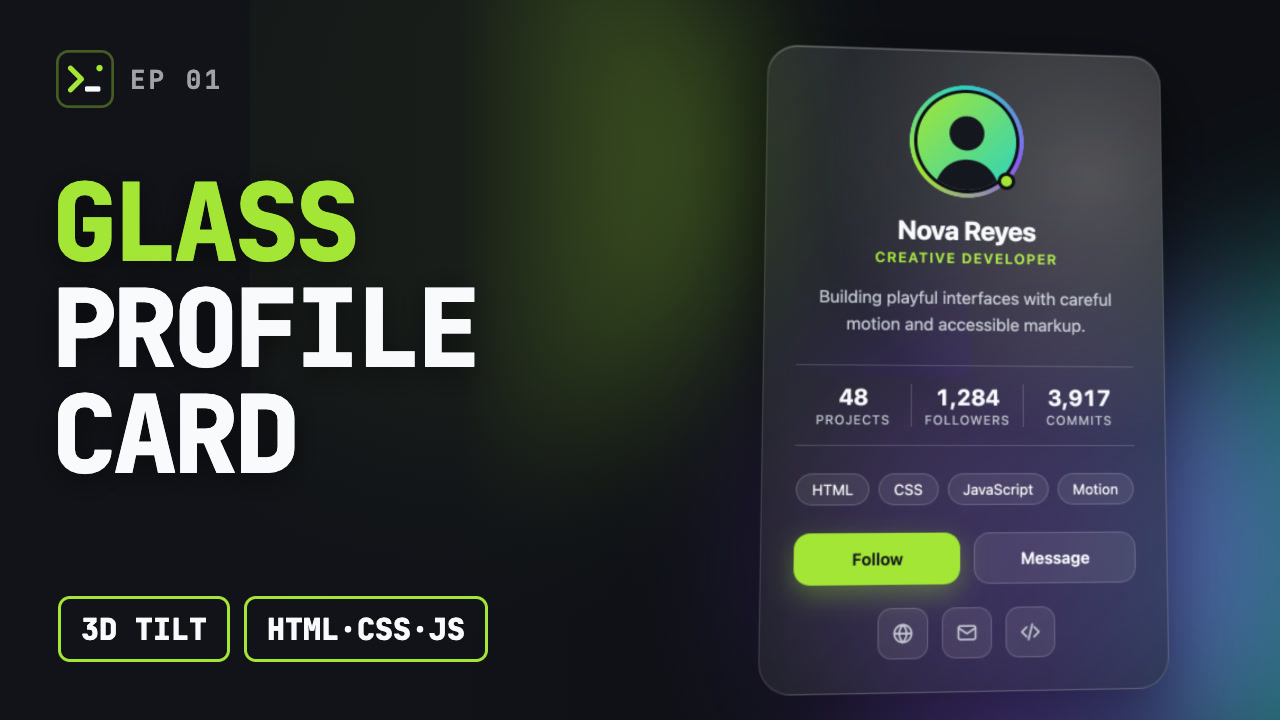
Animated Glassmorphism Profile Card
A frosted-glass profile card with a 3D pointer tilt, moving glare, animated avatar ring, counting stats and a follow button with a ripple — in plain HTML, CSS and JavaScript.
- glassmorphism
- profile card
- backdrop-filter
- 3d tilt